
TM SIM Registration
You can complete the TM SIM registration using your SIM number through the online portal link at new.globe.com.ph/simreg, through the GlobeOne app, or by visiting nearest TM/Globe store. Click the below button to access portal directly.
Enter your TM or Globe number and continue to the official SIM registration portal.
The majority of Philippine TM users use the online registration method. Many people use the GlobeOne app to register their TM SIM. Few people use the in store (physical) method. Select the method that suits you and complete the process to explore connectivity in the 4G and 5G world.
You can proceed TM SIM Registration via text message or at help desks. You may be wondering why I need to register my new SIM. The reason is the Philippine SIM Registration Act (RA 11934), which was implemented on October 10, 2022. Registration under the law started on December 27, 2022.
Let’s explore all the steps one by one with real time screenshots. For smooth and error-free registration, make sure you have the required IDs and documents ready to fill out the form.
1 TM Sim Registration (Online Link)
Registration through online portal is simple, quick and best method. You just need to fill online details in forms and upload some documents and thats it. below are the steps if your are doing it with online method. This method also known as tm online portal method
Open your browser, such as Google, Mozilla, Opera or Microsoft Edge. Type new.globe.com.ph/simreg in the browser. You can go directly to the TM SIM registration link or register your Globe SIM by clicking the button below.
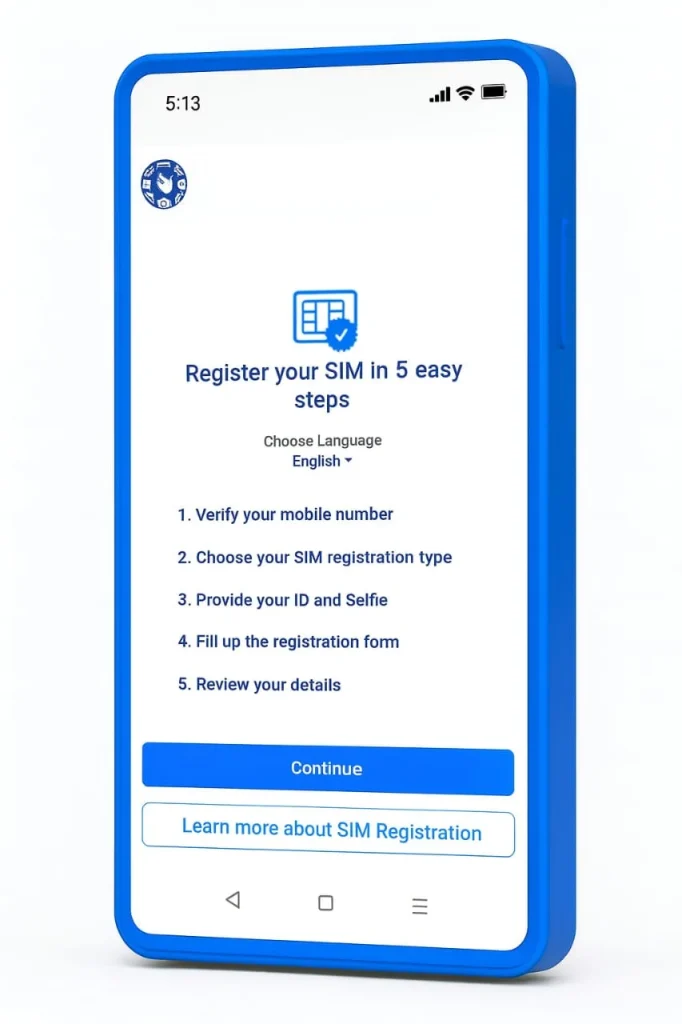
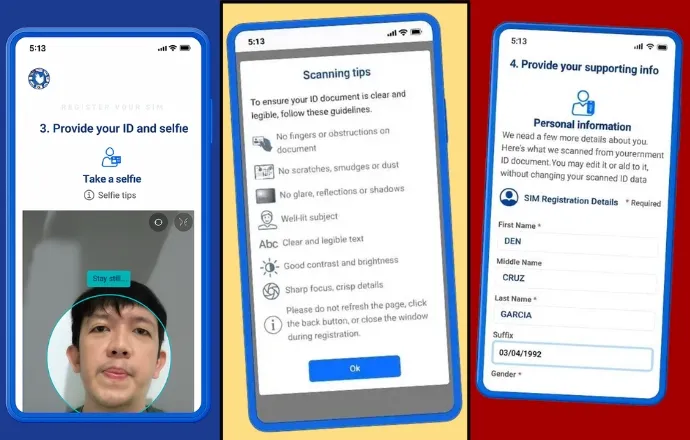
- After clicking the official link, read the instructions carefully. The instructions will show you five steps that you need to perform, as shown below. Then, click on Continue.
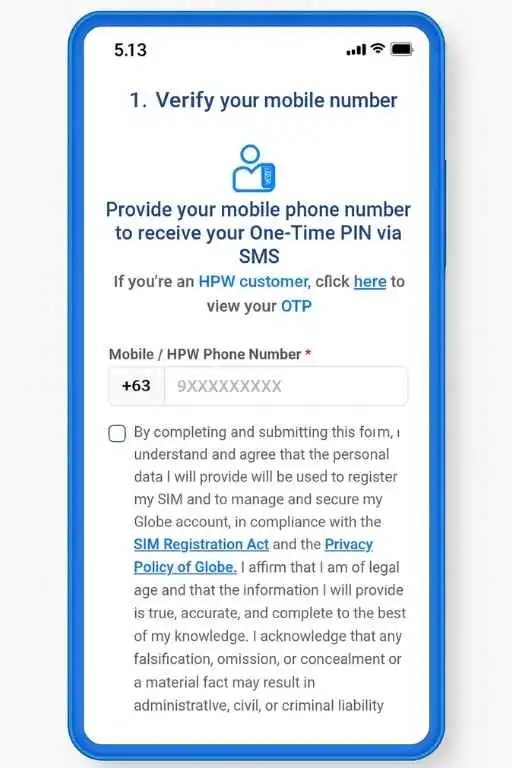
- Provide your mobile phone number +63 [XXXXXXXXXX] to receive your One Time PIN via SMS. Then click on consent box.
- Tick on Box saying “By completing and submitting this form, you agree that your personal data will be used to register your SIM and secure your Globe account, following the SIM Registration Act and Globe’s Privacy Policy”.
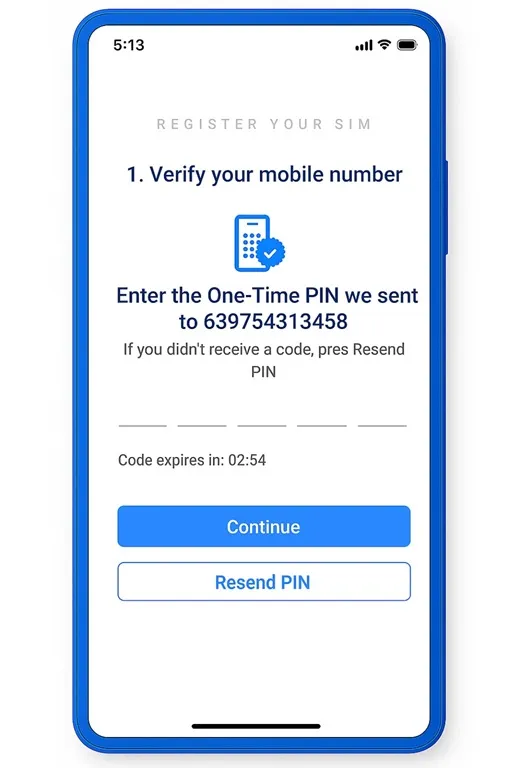
- You will receive an OTP on the mobile number you entered. Enter the OTP on the portal and tap “Continue.”
If the code is delayed, turn on airplane mode for a few seconds, then turn it off again. Please note registration deadline was April 26, 2023. Contact TM helpline number if you want to renew your old sim
- After verifying the OTP, read the tips on the next screen carefully which are shown below.
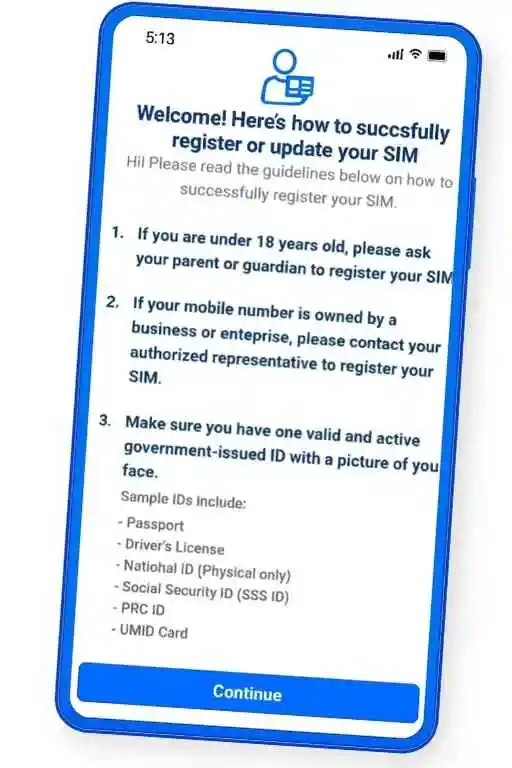
- Now Select Your Registration Type. Tap Make a Selection and choose your registration type. Then tap Continue. For Example: If you’re registering for a minor, choose Parent or Legal Guardian.
- Next step is important. You will need to upload a valid government issued ID.
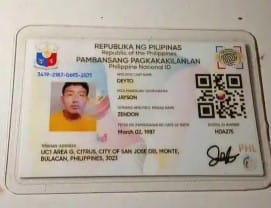
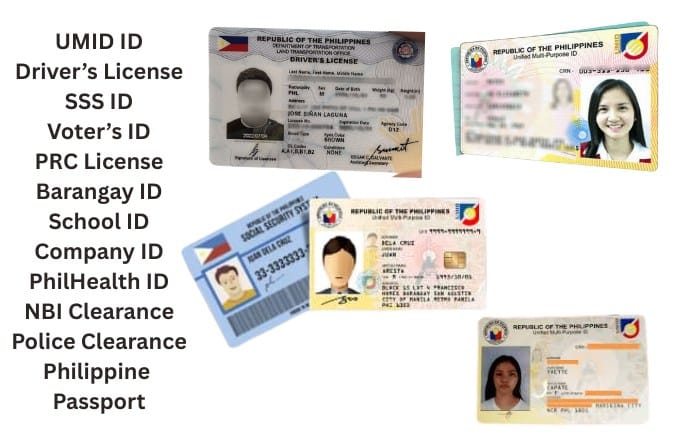
- Some accepted IDs include: Passport, Driver’s License, National ID, SSS ID, PRC ID, UMID. After selecting your ID, tap Continue.
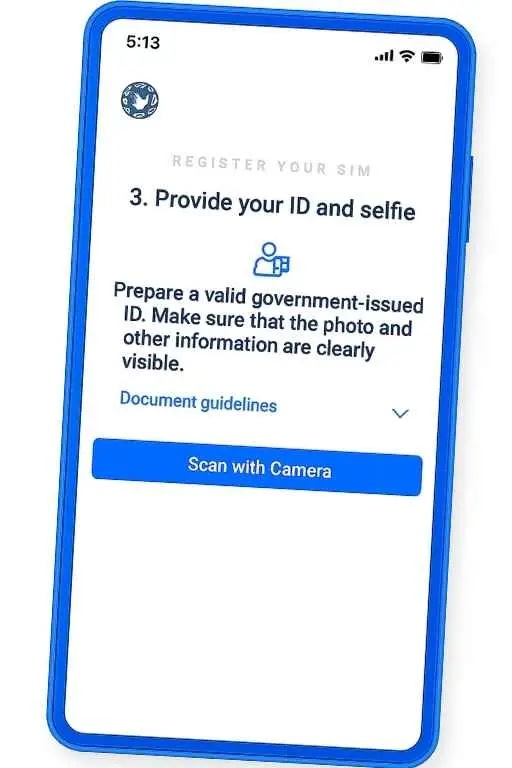
- Read the instructions on the screen. Tap Continue, then choose Scan with Camera.
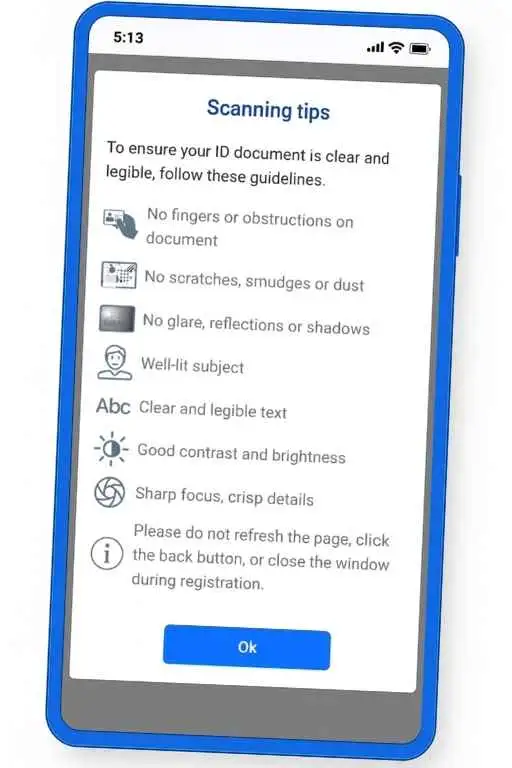
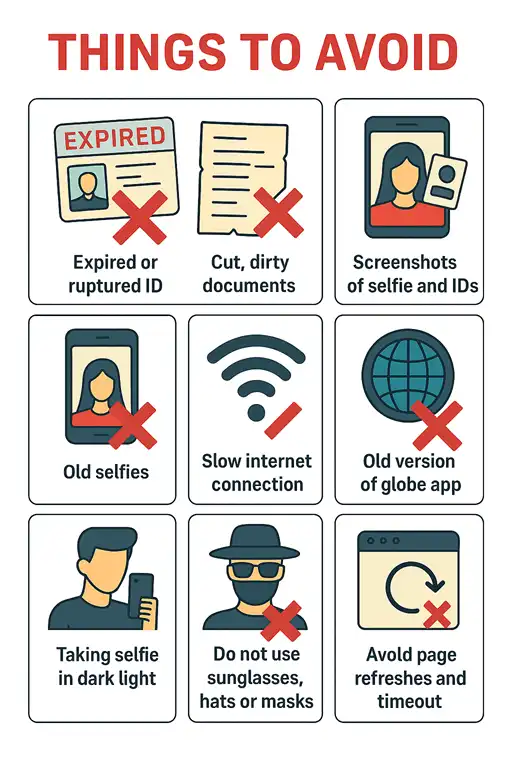
Keep your ID clean and clear, with no fingers, scratches, glare, or shadows. Make sure it is well lit, easy to read, and sharply focused. Do not refresh the page, go back, or close the window during registration. In this way, you will avoid any upload errors.
- Allow the site to use your camera. Follow the scanning tips for best results. Take a clear photo of your ID. It may take a few tries. When it works, scroll down and tap Continue. When i was registering my sim it shows error because of blurry selfie. Do not perform same mistake
- Enter your details: First name, Middle name, last name, and suffix (if any). Add your birth date and select your gender.
- Then fill in your address. Add your unit or house number, building name, and street. Include your village or subdivision. Enter your barangay, city or municipality, province or state, and ZIP code.
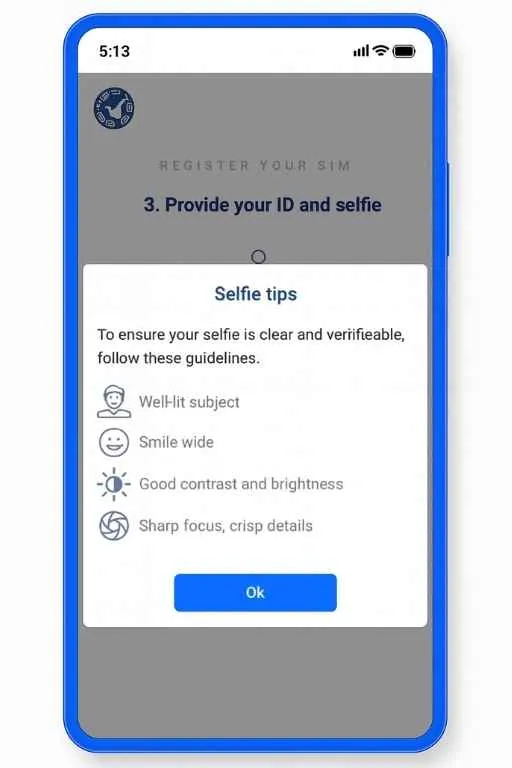
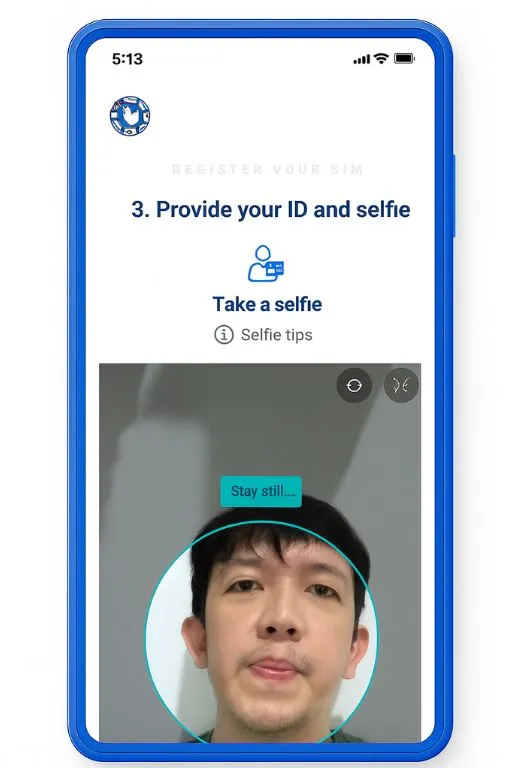
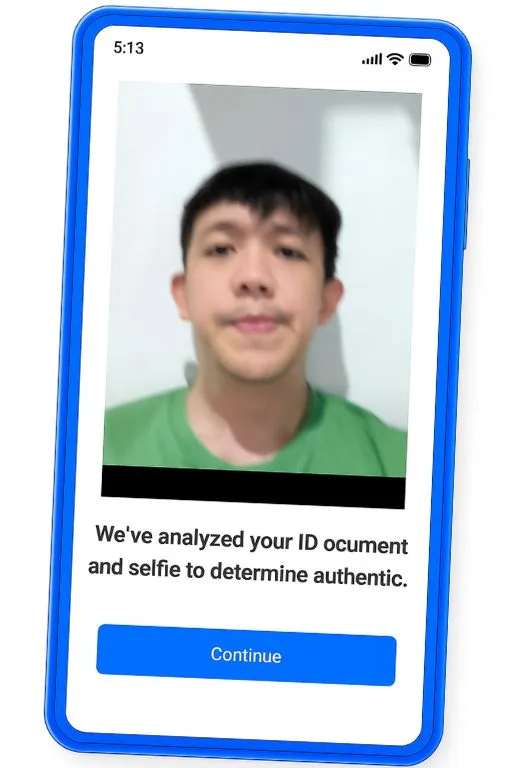
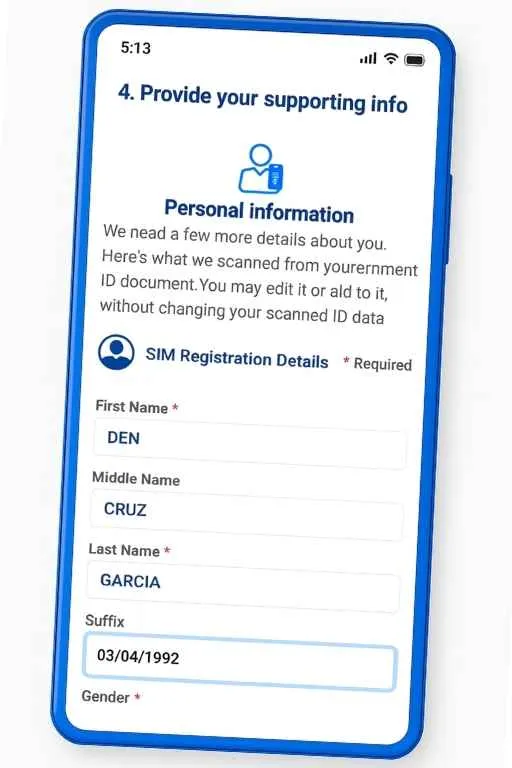
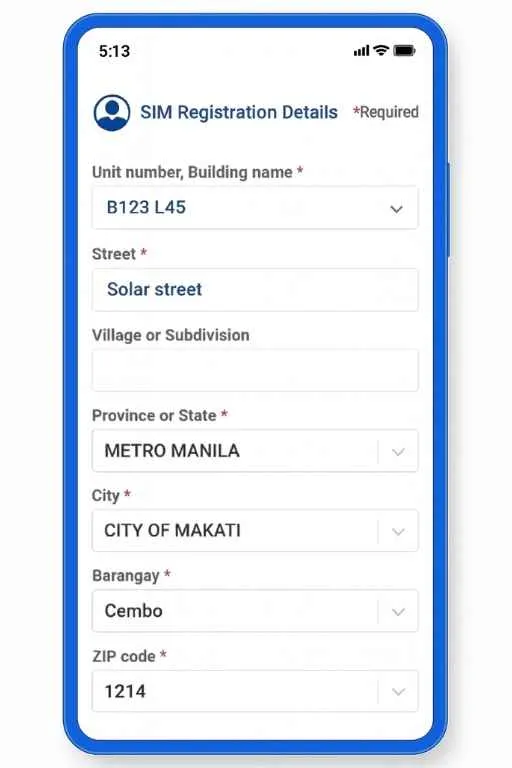
Double-check everything to ensure all information is correct. Then tap Continue.
- Final Step is Review and Confirm. Check all the details you entered. Scroll down and edit anything if needed. If everything is correct, tap Continue.
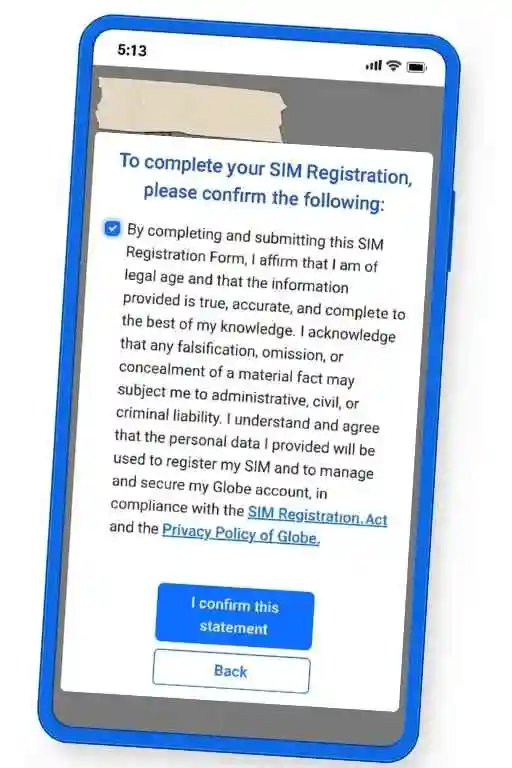
- Check the box to confirm the information, read the confirmation statement, and tap I Confirm This Statement. Wait a few seconds.
- You can use tm call cards to load balance in your new sim
- If you need new 5G sim then go for tm replacement
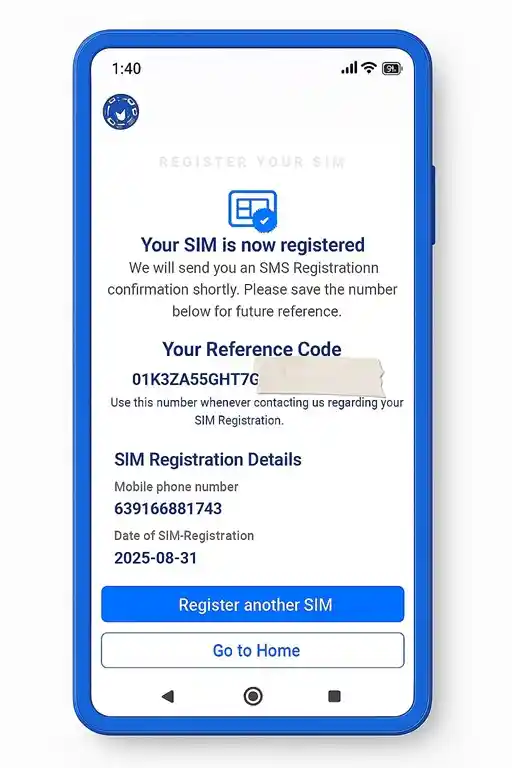
Congratulations! Your Globe SIM Card is now successfully registered. It is ready to use. Turn on your mobile data and wait for the network to detect your SIM. You can also send a text or check your data balance by texting DATA BAL to 8080. Also know your tm sim balance
Note: If you are facing issues during the registration process, please refer to the error solutions below, whether you are Filipino or a foreigner.
2 Steps in Globeone App
You can register your SIM using the GlobeOne app. For Android users, it is available on the Play Store. For iPhone users, it is available on the iOS Store. Download and install the app, then create your account. Below are the steps to register your new TM SIM using the GlobeOne app.
- You just need to download the GlobeOne app from the Play Store or App Store, and then follow the same steps as above. Let’s explore all the steps for the new TM SIM registration on the app.
- Install globeone app, then click on “Create Account” using your TM number and verify.
- Log in to your GlobeOne app account, and on the overview page, you will see the “Register Your SIM” option. Click on it, and you will be forwarded to the registration steps.
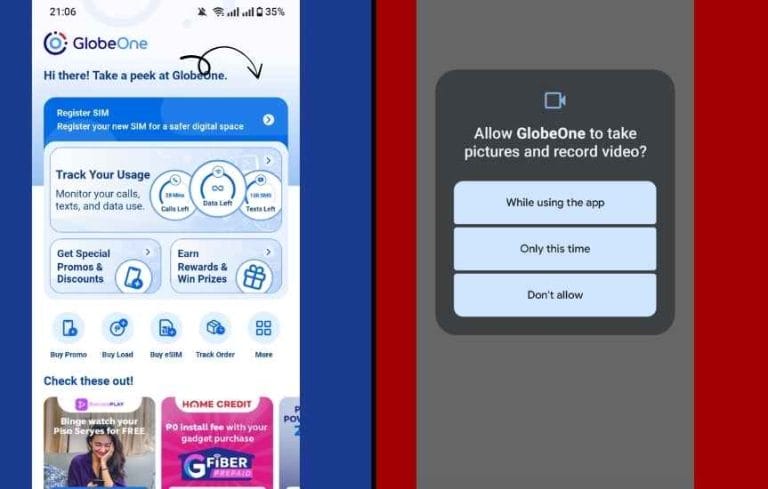
- Enter your mobile number and click on “Next.” Accept the terms and verify your number again using OTP for registration.
- Enter your personal details, including nationality, date of birth, registration type, full name, and gender. Then, add your address details like house number, city, street, village, province, barangay, and ZIP code.
- Select your ID type, enter the ID number, upload your ID photo, and submit a selfie for verification (keep files under 5MB).
- Review your details, confirm that you’re 18 or older, submit the form, save the reference code, and check the dashboard later for “Registered” status.
3 Registration Steps AT Store
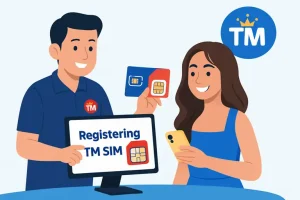
If you cannot complete the registration online, you can do it offline at a Globe store. You need to take your new Globe/TMe SIM and the required documents with you. Below are the steps you can follow at the physical store.
- First find nearest globe store. You can use globe helpline number or google map to locate
- Meet the attendant there with mandatory documents
- Representative will then assist you until your TM SIM registration will be completed
- TM/Globe authoried store list is given below where you can register your globe or tm sim easily
Below is list of authorised globe/TM stores retailers where you can register the sim physically
________Continue Reading________
4 Via QR CODE

5 HOW TO REGISTER VIA SMS?
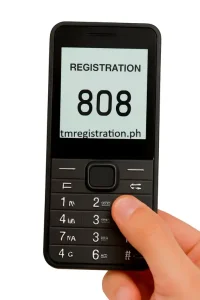
You will be amazed to know that in this digital world, you can still process TM SIM Registration through SMS. This method is for keypad mobiles. Write a message with the following details
6 REGISTER AT help desk
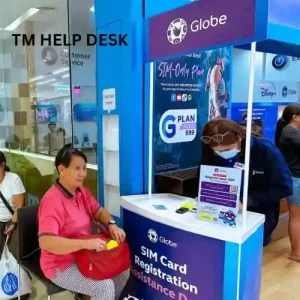
To comply with Republic Act No. 11934, some local government units (LGUs) and barangays organize help desks for disabled and elderly people. Just go to the help desk, and the representative will do everything needed to complete the registration for disabled or elderly individuals.
In Bacolod City on January 27, 68-year-old Erlinda Caring registered her 20-year-old TM SIM at a local assistance desk to avoid the deadline and keep her number active
Simple Tips For Registration
Tm sim registration process is not difficult. But minor mistakes can cause error for you. Below are tips that you can read to avoid diffcullty during registration
- Make sure your name, city, and address spellings are correct. Always provide up-to-date and valid documents. Do not use old or expired details.
- Provide a clear image of your valid ID, and ensure your selfie is not blurry. The image size of your selfie or ID should not exceed 2 MB. A slow internet connection may cause upload issues.
- Make sure your SIM is inserted in your mobile phone. If your phone is not turned on, you will not receive the OTP for verification. If you are using Wi-Fi, make sure your connection is working properly.
- To avoid online fraud and post-registration issues like data leakage, always use the official TM link or official apps for registration.
- If you are still facing errors, contact the TM helpline. Their support team will help you resolve the issue.
- Make sure your TM Network signals are working fine
- Also make sure your phone have best tm apn settings
Ways to Confirm Registration Status
If you have completed all the registration steps for your TM SIM and are still unsure whether it is registered or not, don’t worry. You can check the registration status in four different ways.
Sometimes, the status may show that your SIM is not registered even after completing the registration process. You should wait at least one day before contacting Globe support. Check the status again after one day, as your SIM may be registered by then.
Requirements for Registration
If you are receiving errors during the TM SIM Registration process, it may be due to incorrect details you have entered. Make sure you have arranged the accurate basic requirements listed below. This section is all about basic and valid requirements
Valid IDs That Are Accepted
Below are the valid IDs that are accepted. You only need to have one valid ID from the options provided
Sim Validity Period for Foreign
Tourists get a SIM valid for 30 days. It expires automatically unless you extend it. Students and workers get a SIM valid for the duration of their visa or AEP. Permanent residents register their SIM the same way as locals, and it does not expire.
Things to Avoid
During your TM registration process, avoid the following things to prevent any kind of errors
Important Points For Senior Citizens & PWDs
PWDs and senior citizens are often unaware of the process. Do not worry, TM offers a solution by providing services at their Globe stores. Below is the method you can follow.
- Visit your nearest Globe/TM store.
- Bring a valid ID such as a PWD ID, senior citizen ID, or any government-issued ID.
- The store representative will help you complete the process.
LGUs and Barangays also organize SIM registration help desks for disabled and elderly people.
how to Recharge Balance in Sim?
- The best and easiest way to recharge your TM balance is by using the GlobeOne app. Go to the “Buy” section, then select “BUY TM Promos.” Here, you can load or buy the promo of your choice.
- Another way to load balance on your TM SIM is by visiting the nearest local retailer. Give them the money and your number, and they will load it immediately. The Automax load service is the most commonly used by retailers.
- Users can also use digital platforms like GCash and partner bank apps to purchase load for their TM number. You can also use a TM Call Card by dialing 143#.
- If you are short of balance then borrow load
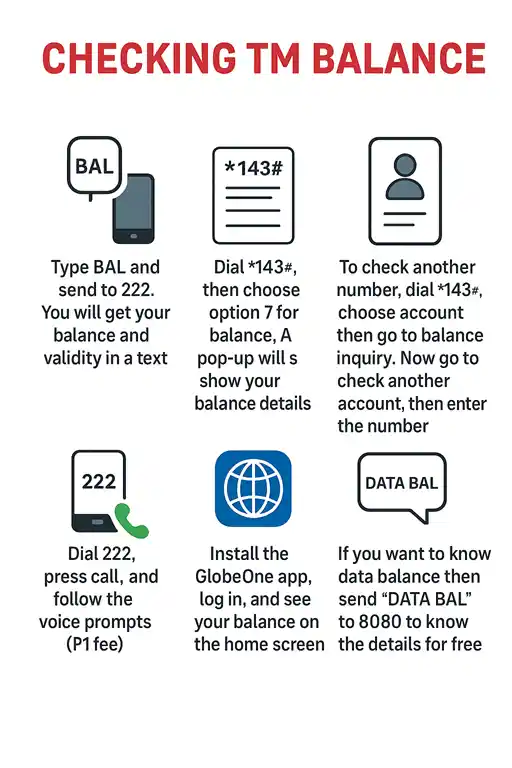
HOw to Check TM Sim Balance?
After reloading you can check your tm sim balance in different ways
Fix Common Problems
OTP Not Received
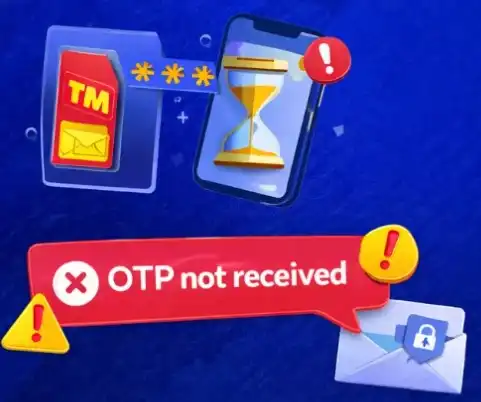
If you don’t get the OTP, request it again. Check your signal or move to a better area. Turn airplane mode on and off, then try again. You can also use another browser, clear cache, or use incognito mode. If it still doesn’t work, contact Globe support.
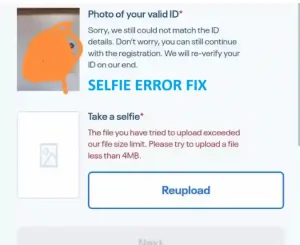
Selfie Issue
Previously, when users uploaded a selfie larger than 2MB, it showed an error. Now you must take a live selfie. Make sure your selfie is clear and taken in a well-lit place with a clear view of your face.

ID Upload Problem
Your ID photo does not upload or shows “ID did not match.” Take a clear photo in good light. Make the file size smaller. First upload your selfie, then your ID. Make sure your name and ID number match exactly.

Invalid Number Error
You see “Please enter a valid Globe/TM number.” Check if you typed the number correctly. Try again with or without the starting “0.” You can enter the exact number printed on the back of your SIM pack.

Promo or SIM Not Working
Your promos fail or the SIM still shows no service. Send “DATA BAL” to 8080 to refresh the SIM. Make sure you have some load or balance. Wait a few hours for Globe to update

Page Keeps Refreshing or Times Out
If TM SIM Registration page keeps reloading or shows a timeout. Then use a stable internet connection. Close other apps using data. You can try again at a different time
Delayed OTP SMS Issue
Problems
- You do not receive OTP SMS on time.
- Sometimes message comes very late or not at all.
- Registration stops because OTP is required.
- This usually happens because of weak signal, wrong number, or network delay.
Solution
- Check your SIM signals if it is not working well. Go to the open area or near the window if the room is congested.
- Make sure you enter the correct phone number during requesting OTP.
- Click “Resend OTP” and wait
- Turn airplane mode ON/OFF once.
- Wait few minutes (server can be busy).
- If it is still not working, try again after some time or next day.
GlobeOne App Login Problem
Problems
- You cannot login in GlobeOne app.
- App does not send OTP.
- App crashes or not loading.
- This happens due to network issue or system problem.
Solution
- Check your internet (WiFi or mobile data).
- Make sure your SIM has signal.
- Tap Resend OTP during login request. Then try to login again.
- Otherwise Clear app cache or reinstall app.
- Try login after some time if above methods are not working(server may be busy).
- If still problem → use website instead.
SIM Inactive After Registration
Problems
- Your SIM is registered but not working
- You cannot send SMS or call
- No service or limited access
- This can happen if SIM is deactivated or registration not completed properly
Solution
- Restart your phone
- Check if registration is complete (via SMS or app)
- Insert SIM again properly
- Wait some time (activation may be delayed)
- Avoid many failed attempts (can deactivate SIM)
- Contact support or visit service center if still inactive
SIM Card Reader Issue
Problems
- Your phone does not detect SIM.
- You see “No SIM” or “No Service”.
- SIM registration cannot continue.
- This happens due to dirty SIM, damaged SIM, or phone issue.
Solution
- Remove SIM and clean it gently
- Insert SIM again properly
- Restart your phone
- Try SIM in another phone
- If still not working → SIM may be damaged, replace it
| Additional Error Name | Solution |
|---|---|
| No Signal Issue | Restart your phone (this refreshes network). Turn airplane mode ON/OFF. Remove SIM and insert again properly. Clean SIM gently (dust can block signal). Go to settings → select network to automatic. Move to open place or near window (better signal). Try SIM in another phone (to check problem). If still not working → your SIM may be damaged or not registered. |
| Phone Compatibility Issues | Check if your phone supports LTE (send SIM CHECK to 8080). Update your phone software (fix bugs). Set correct network mode (2G / 3G / LTE auto). Restart your phone. Try SIM in another mobile (to confirm issue). If problem only in your phone → device issue. If SIM not supported → upgrade SIM or use better phone. |
| Registration Website Not Loading | Check your internet (WiFi or mobile data). Refresh the page or reopen website. Try different browser (Chrome, Edge, etc.). Clear browser cache. Use another device (mobile instead of PC). Try at different time (server busy issue). Always use official website only (avoid fake links). |
How To Switch To TM?
You can move to TM Tambayan from other networks like TNT, Sun, or Smart. Follow the steps below if you want to change your network. Make sure your number has been active for at least 90 days and has no unpaid bills.
Republic Act No. 11934: Understand Law
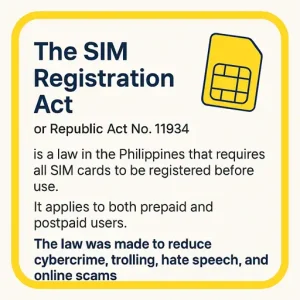
The SIM Registration Act, also called Republic Act No. 11934, is a law in the Philippines. It says that all SIM cards must be registered before people can use them. This rule is for both prepaid and postpaid users. The purpose of the law is to stop online crimes, scams, and hate messages.
After the deadline, 113.9 million SIM cards were registered, while 54 million were deactivated. Globe lost about 33 million users, Smart lost 13.8 million, and Dito lost 7.2 million. Now, everyone using Globe or TM must follow this law. Because of it, online scams are becoming less common.
Many mobile, computer, and telecom companies filed a petition to the High Court against this law. They believe it is against freedom of speech. But nothing changed from the government, as the parties were not able to win in court
| Offense | Penalty |
|---|---|
| Giving wrong details | Fine up to ₱300,000 and jail time |
| Using a fake or stolen ID | Fine up to ₱500,000 and prison |
| Selling or giving your SIM to others | Fine up to ₱100,000 |
| Telco not allowing SIM registration | Fine from ₱100,000 to ₱1,000,000 |
| Telco sharing user info without consent | Fine from ₱500,000 to ₱4,000,000 plus damages |
How to Convert TM/Globe SIM to eSIM?
If you are using a regular SIM and want to switch to an eSIM, it is very easy. Before conversion, make sure your mobile phone supports and is compatible with eSIM. The conversion fee is around ₱99, which will be charged by Globe/TM. Follow the steps below to convert your SIM.
- Install GlobeOne app on your Android or iOS device
- Open the app and go to the eSIM services section
- Tap the option that says Change SIM to eSIM
- The app checks if your phone supports eSIM. If yes, follow the steps and pay the fee
- You’ll get an eSIM QR code by email. Scan it on your phone to activate eSIM
Helpline Number and Support
Use online, physical, and QR code methods for registration. If you are facing critical issues and your problems are not being solved, you can contact TM support using their number. Support can also help you with the TM SIM registration process. Contact Globe Hotline at “(02) 7730-1500” or dial “808. Telecom agents will help you in every sim matter
Quick Answers
See the complete FAQs section related to TM SIM Registration here. You can also contact tm customer support in case of any help. Official sources for TM/Globe registration are tmtambayan.ph and www.globe.com.ph. All credit goes to the official sources. We are only an informational source
