Surf4ALL Promos TM (Surf4ALL99, Surf4ALL249)
TM provides Surf4all99 and Surf4all249 promos, which are TM’s first data offers that give a lot of internet data and can be shared with four other persons. You can share it with TM SIM and Globe users, such as Prepaid, Postpaid, MyFi, Platinum, and Home WiFi.
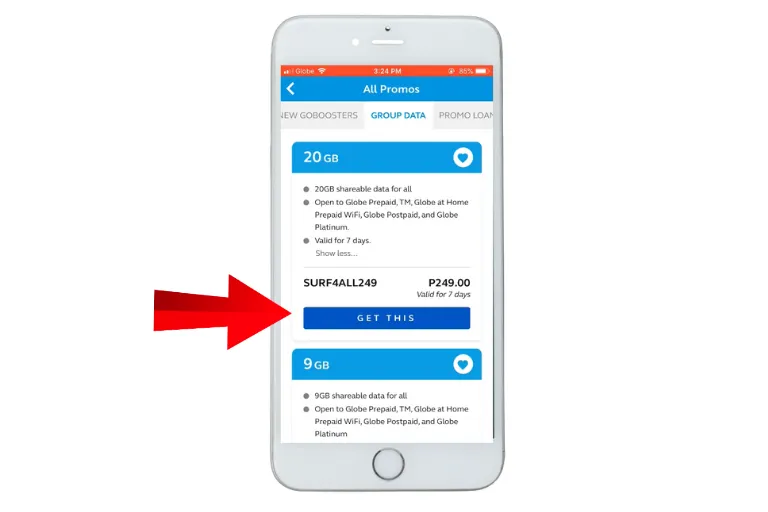
Surf4all99 provides 9 GB of internet for 7 days, whereas Surf4all249 offers 20 GB of internet data for 7 days, and both are shareable promos. You will learn below how you can register, extend, or stop it — everything is explained below.
Surf4all Promo Description
| Promo | Duration | Data Type | Total Data | Detail |
|---|---|---|---|---|
| Surf4all99 | 7 Days | Shareable to 4 members | 9 GB for all apps and websites | You can manage a 4-member group with shareable 9 GB data, where you can remove members, add limits, and leave the group too. |
| Surf4all249 | 7 Days | Shareable to 4 members | 20 GB for all apps and websites | You can manage a 4-member group with shareable 20 GB data, where you can remove members, add limits, and leave the group too. |
How to register for Surf4all99 TM Promo?
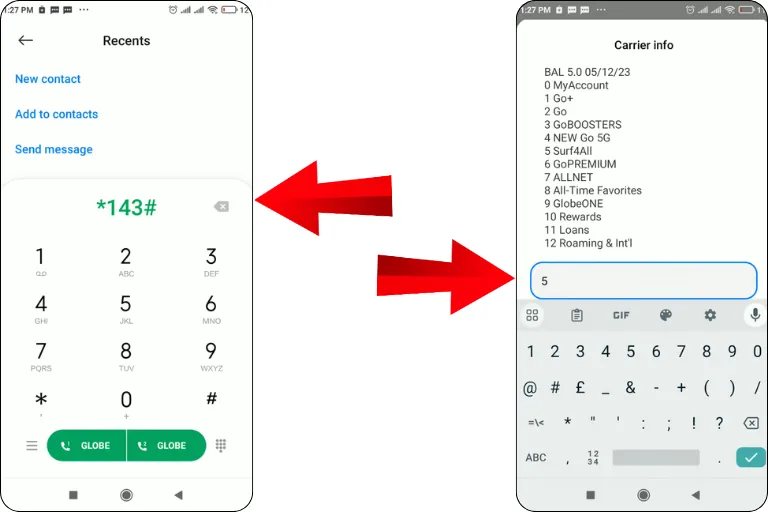
Dial *143# using your TM mobile number.
Enter “5” to choose Surf4all and hit send.
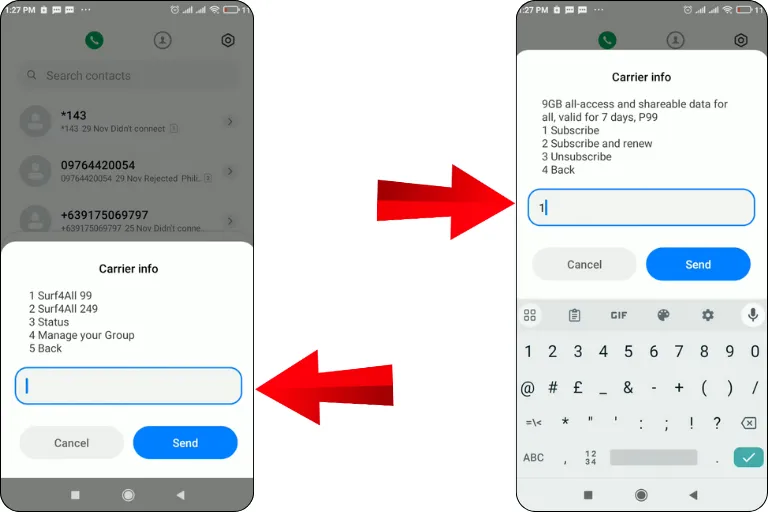
To register Surf4all99, enter 1, or to register Surf4all249, enter 2 and send.
Then enter “1” to subscribe and click send.
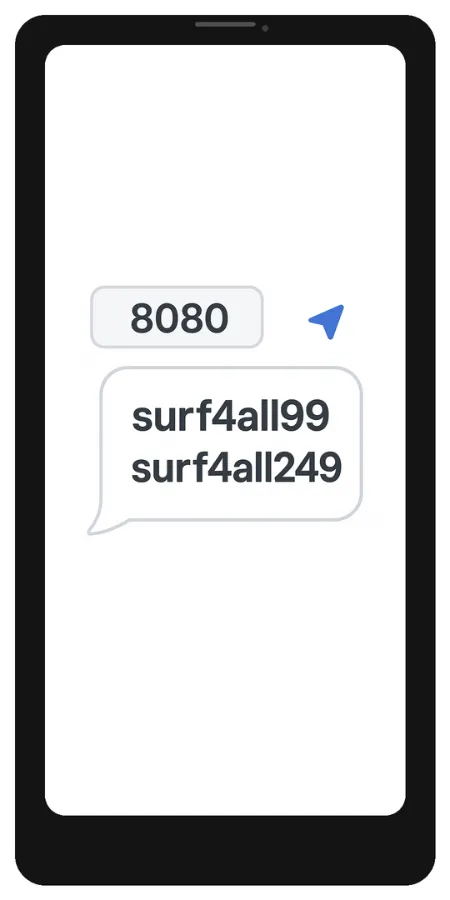
Go and create a new message in the Messages app.
Type Surf4all99 or Surf4all249, whichever you choose.
Send it to 8080.
You will receive confirmation text from TM Tambayan.
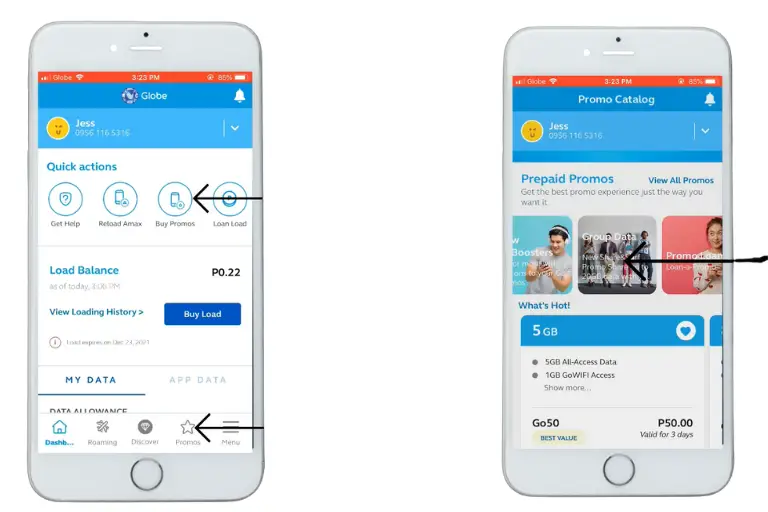
Download the GlobeOne app.
Open the app and log in.
Select “SURF4ALL” from the available promos.
Subscribe and enjoy.
How to check the status of Surf4all Promo?
Via Calling *143#
- Dial *143# and enter “5” for Surf4ALL.
- Enter “3” to check the status of the promo and send.
- You will see complete details about your subscribed promo.
In GlobeOne App
- Log in to the GlobeOne app using your TM number.
- Click the “Surf4ALL” section.
- Go to your Members List and select members to track their data usage.
How to manage members for sharing data
Note: Through GlobeOne, you can remove or manage shared data limits in the Members List section after clicking on the Settings option.
How to stop Surf4all99 TM
Step 1: Just type STOP and the corresponding promo keyword in the Messages app.
Step 2: Send it to 8080.
For example: To unsubscribe from the Surf4all99 TM promo, enter STOP surf4all99 and send it to 8080 same like easysurf promos and all net surf.
Many prepaid subscribers now use these shareable data offers through the GlobeOne app to reduce mobile internet costs for groups and households