How To Stop Load in TM? Stop Globe/TM Promos
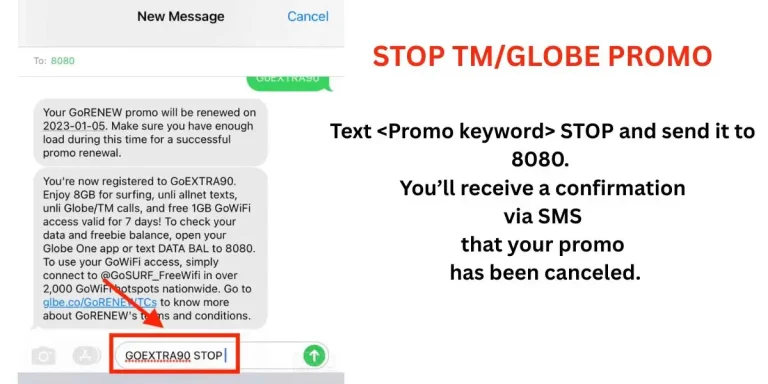
It is possible to stop Globe or TM load or promos. You just need to send a message to 8080 with your promo keyword. For example, if you want to stop SURFALERT, text SURFALERT OFF to 8080 and it will be stopped. You will receive a confirmation message.
Just as you subscribe to a promo or TM offer, you can unsubscribe from the same offer whether it is from TM or Globe but you must proceed tm or Globe SIM Registration. If you are short of load, you can borrow TM load as well.
Sometimes the wrong promo is subscribed in a hurry or due to a mistake. Or you may change your mind and want to stop it; TM gives you all the options. Let’s explore the step-by-step process to stop TM load or Globe promos.
How to Stop Load/Promo in TM & Globe?
In Touch Mobile (TM) Philippines if you want your load/balance not to cut then unsubscribe to auto renewal and regular promos. Disable unwanted subscriptions. Make sure you block regular data charges and use load protect service. Lets explore all steps to stop promos
Via Text
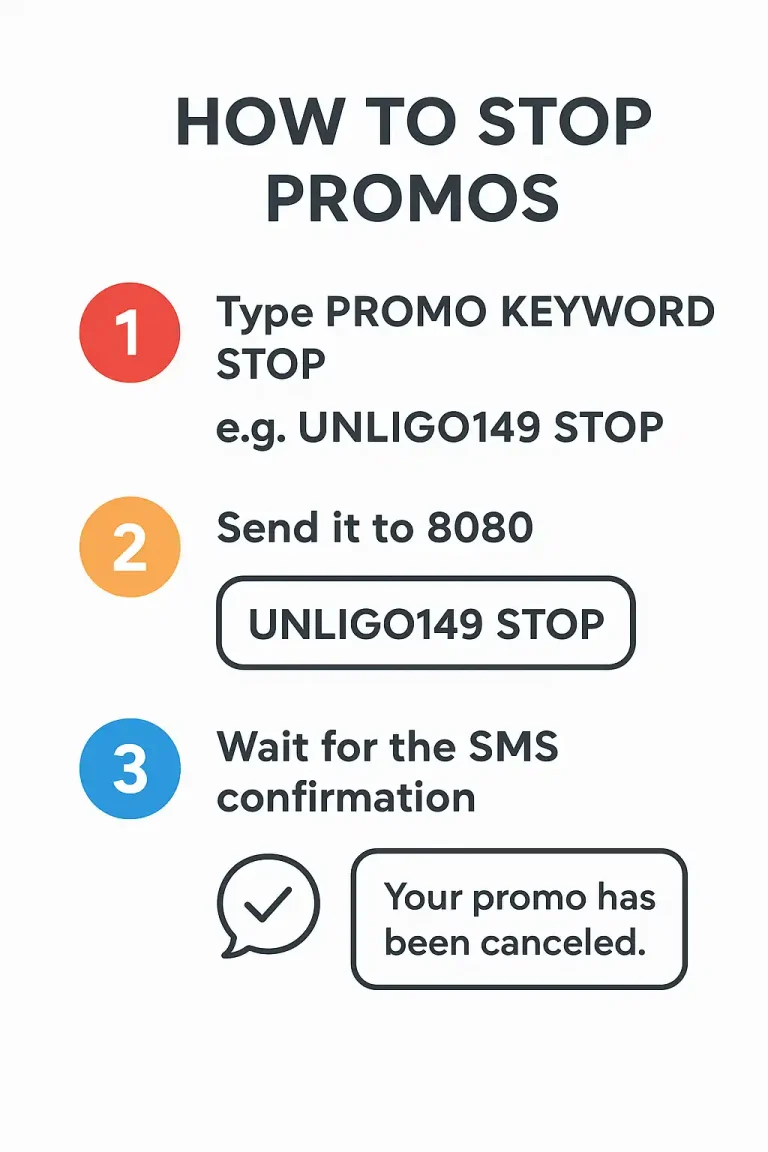
For Example: Type “UNLIGO149 STOP” and send it to 8080, then wait for the SMS confirmation that your Super Xclusive Unli Go 149 promo is canceled.
Example 2: Type “GOPLUS99 STOP” and send it to 8080, then wait for the SMS confirmation that your Go+99 with Unli Facebook / TikTok promo is canceled.
Example 3: Type “UNLIGO299 STOP” and send it to 8080, then wait for the SMS confirmation that your Super Xclusive Unli Go 299 promo is canceled. If your tm network is slow then check best tm apn settings and signal problem solution
Unsubscribe via *143#
Just use your phone’s dial pad, and you are only a few seconds away from stopping a TM call or data package.
- Dial *143#, choose the promo you are registered in.
- Select STOP, and wait for the SMS confirmation that your promo has been canceled.
via GlobeOne app
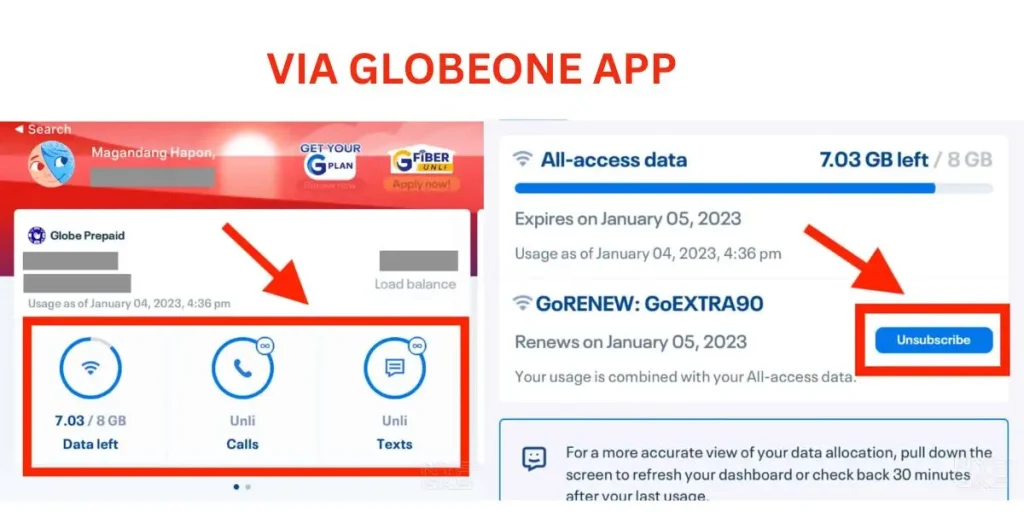
Unsubscribing or subscribing to any Globe or TM offer through the GlobeOne app is the easiest and best method because its interface is simple to use. Here’s how you can stop a TM promo:
- Open the GlobeOne app.
- Tap on the Data, Call, and Text sections.
- View your subscribed promos.
- Tap the Unsubscribe button to deactivate the promo.
- Users can redeem rewards using globeone
Deactivation of SurfAlert and EasySURF
You can’t stop an active promo. It will only end when it expires. You can cancel the next renewal. After that, subscribe to a promo that fits your needs. You can use more than one promo at the same time. If you load an unlimited promo, it will start right away.