How to Check TM Balance & Data Balance in 2025
If you want to check your TM SIM balance, type BAL and send it to 2888. Alternatively, you can call 222. If you have the GlobeOne app, it will also display your balance.
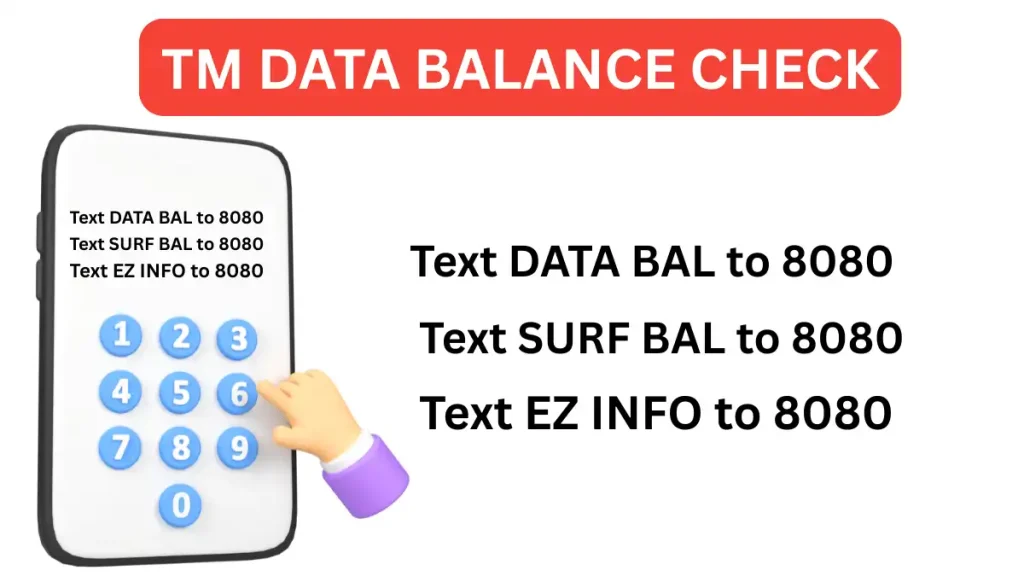
Similarly, users can check their data balance by texting DATA BAL to 8080. The GlobeOne app also shows data balance. For other data details, you can text EZ INFO to 8080. You will get detailed information about active promos and data
Now, let’s explore the different online ways to check your TM balance and data balance. Choose the most appropriate one for you.
TM Balance Check All Ways (SMS, Call, GlobeOne App)
In the Philippines, you can check your balance via text. Type BAL and send it to 2888. In a short moment, you will receive your balance details.
Make sure your TM SIM registration is complete so you can enjoy all promos. Another way check via sms is by using *143# method
Dial 222 and press the call button. Listen to the voice instructions and follow them. They will tell you your balance. A small fee will be charged, and it will be automatically deducted from your phone.
Another way to check is by using the USSD code. Follow the steps below
This is a simple method to check your balance. Dial *2888# and press the call button. You will receive a message with all your balance details.
A small fee will also be deducted when you use this method. These are standard TM charges for using these services. If you want to avoid charges, you can use the Globe One app. The steps are given below
If you do not have the GlobeOne app, install it first, create an account, and log in. After logging in, you will be able to see your balance on the dashboard. Your balance will be displayed on the left side.
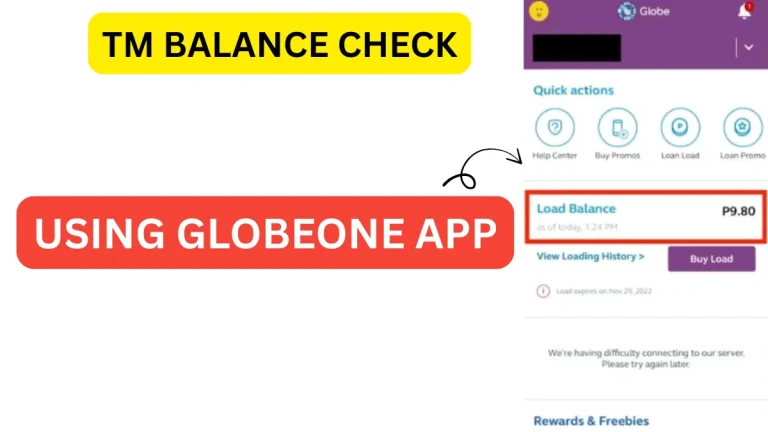
You can use the GlobeOne app to add more balance and activate new TM data promos. If you have mobile data and want to check your TM data balance, the method is slightly different. The section below covers the ways to check your TM data balance.
As mentioned above, choose the method that suits you best, as some methods may charge a small fee.
Ways to Check TM Data Balance
Tm balance and data balance are two different things. Balnce is the amount of money you have in your tm sim which you use for calling, texting and internet. While data baoance is your MB that you use for online intrnet. Lets move to all ways to check data balance in TM
Like the balance checking method, you can use the GlobeOne app to check your data balance.
How to check Data Balance in tm using *143#
- Dial *143#: Open the dialer on your phone, and enter *143# in the dialer. Then, press the green call button.
- Wait for a response: After dialing, the system will send you a list of options. You will see a menu with options such as data balance, internet packages, and more.
- Check Data Balance: Scroll through the list of options and select the one showing your data balance (usually labeled as “BAL” or “Data Balance”).
- View Your Data Balance: After selecting the appropriate option, the system will show you your remaining data balance.
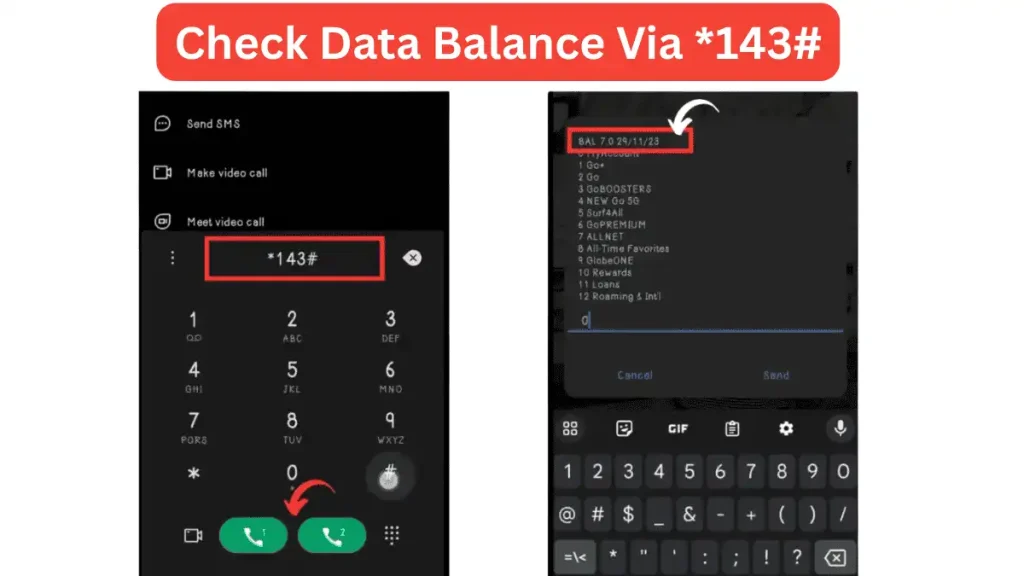
Balance typically look something like “BAL 7.0 29/11/23”, which means your current data balance (7.0 GB) and the expiration date (29/11/23)
Understand Difference Between Mobile Balance and Data
Both are different things. You will understand the difference by reading the comparison below.
| TM Balance | TM Data Balance |
|---|---|
| Shows your load (peso credit) | Shows your internet data (MB/GB) |
| Used for calls, texts, and promos | Used for browsing, streaming, apps |
| Can be checked by BAL to 2888 or call 222 | Can be checked by DATA BAL / SURF BAL / EZ INFO to 8080 |